
Assigning User Permissions on a Batch Basis for the Group
Permissions to use the multifunction printer/copier can be assigned to all users registered in the group on a batch basis. The assigned permissions also apply to a user registered after batch assignment.
 Log into the General Setting Management of RICOH Cloud Service as the tenant administrator.
 Turn "Admin Mode" on.
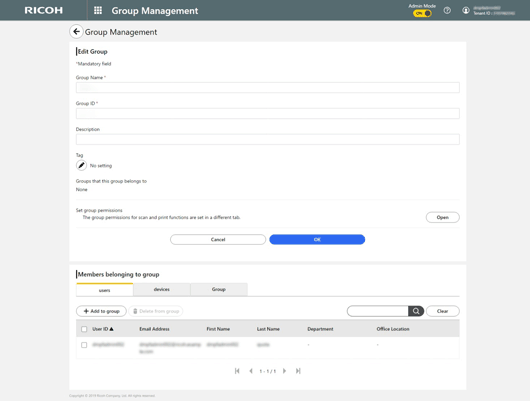
 Select [Group Management].
 On the "Edit Group" screen, click [Open] on "Set group permissions".
 Select the type of user permissions.
 Click [Confirm].